AI Search Visibility Checker
Loading tool…
About AI Search Visibility Checker
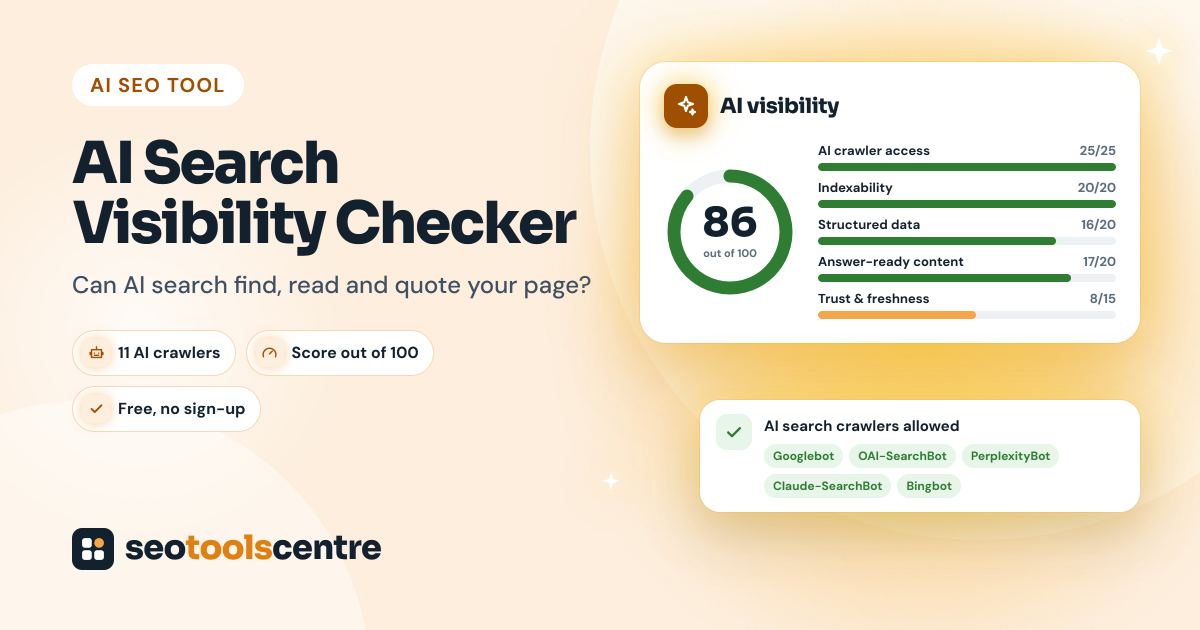
More and more searches now end with an AI-written answer instead of a list of links. Google shows AI Overviews, and people ask ChatGPT, Perplexity, Claude and Microsoft Copilot directly. These answers are built from web pages that the AI systems were able to find, read and trust. The AI Search Visibility Checker tests one page against those requirements and gives it a score out of 100, with the most important fixes first.
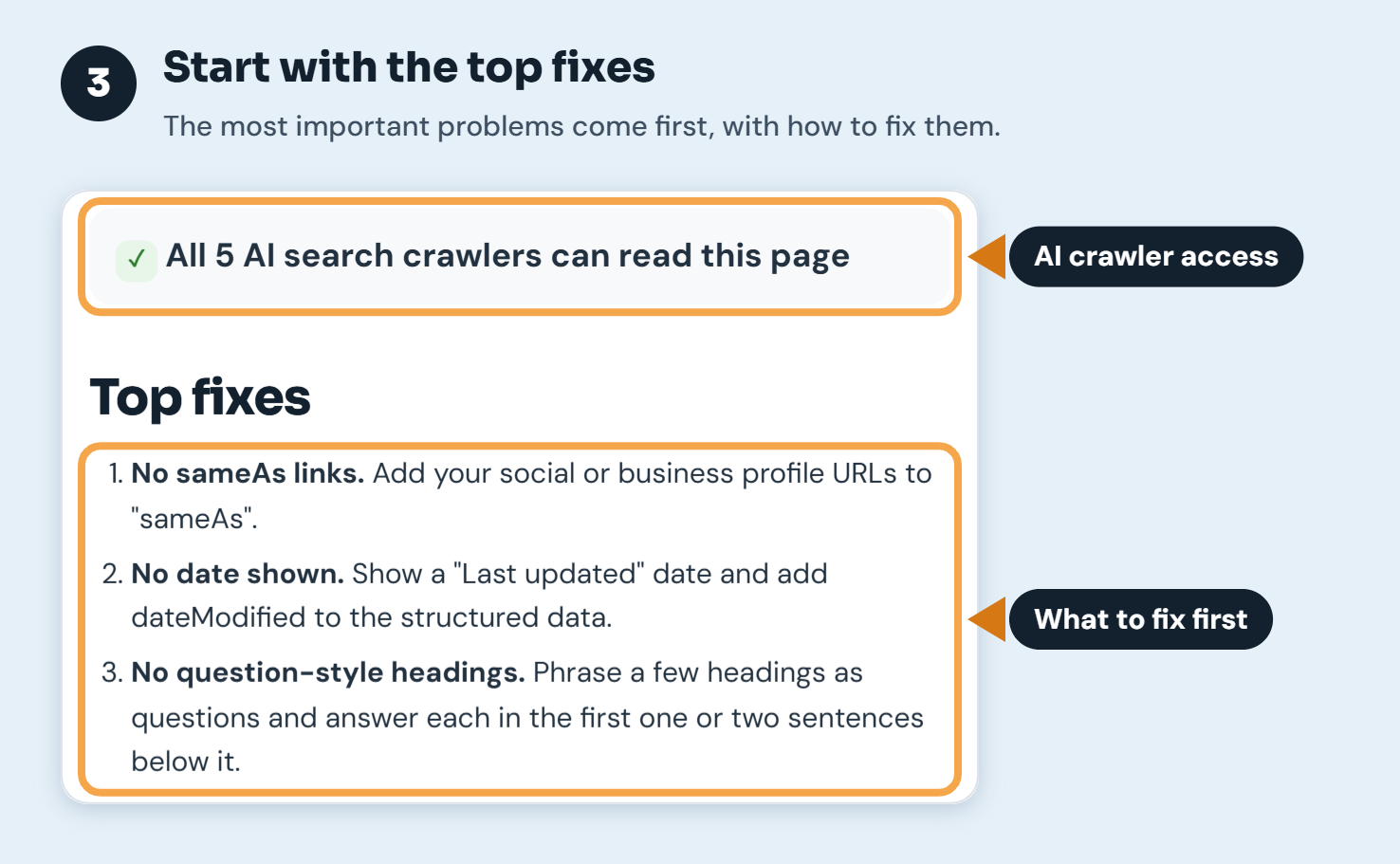
When we ran it on our own homepage, it scored 86. Every AI crawler could read the page, but it lost points because we had no About page, no visible "last updated" date, no question-style headings and no links to our official profiles in the structured data. Those are quick fixes that a normal SEO audit tool doesn't flag.
What the AI Search Visibility Checker tests
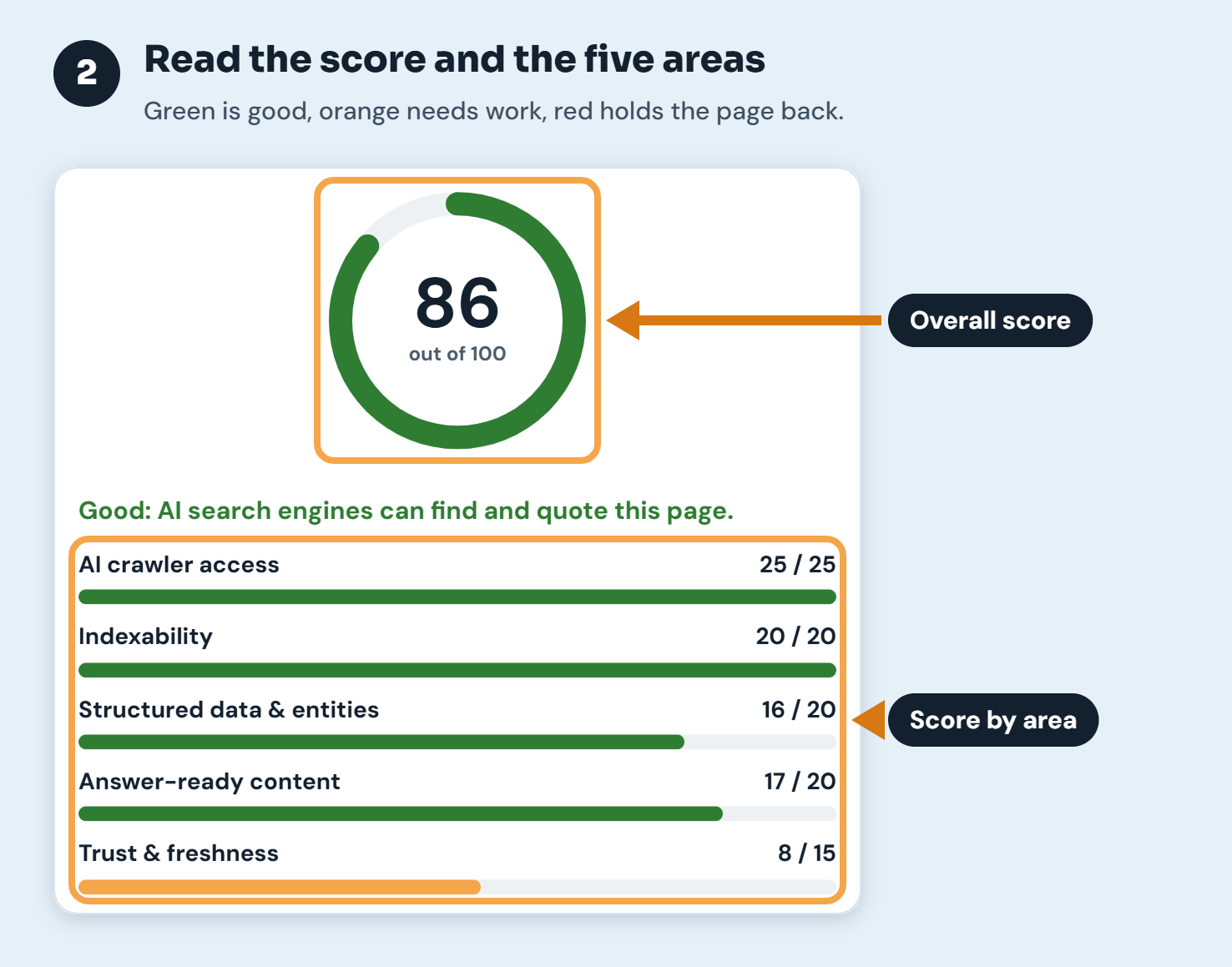
The score is split into five areas, weighted by how much each one affects whether AI search can use a page:
| Area | Points | What it checks |
|---|---|---|
| AI crawler access | 25 | Whether your robots.txt lets the crawlers behind Google AI Overviews, Bing and Copilot, ChatGPT search, Claude and Perplexity read the page |
| Indexability | 20 | HTTP status, noindex rules, canonical tag, HTTPS and whether the page is in your sitemap |
| Structured data and entities | 20 | JSON-LD markup, who publishes the page, links to official profiles (sameAs) and the page type |
| Answer-ready content | 20 | Title, meta description, heading structure, question-style headings, lists, tables and the amount of text |
| Trust and freshness | 15 | About and Contact links, a named author or reviewer, a visible date and a share image |
How to use the AI Search Visibility Checker, step by step
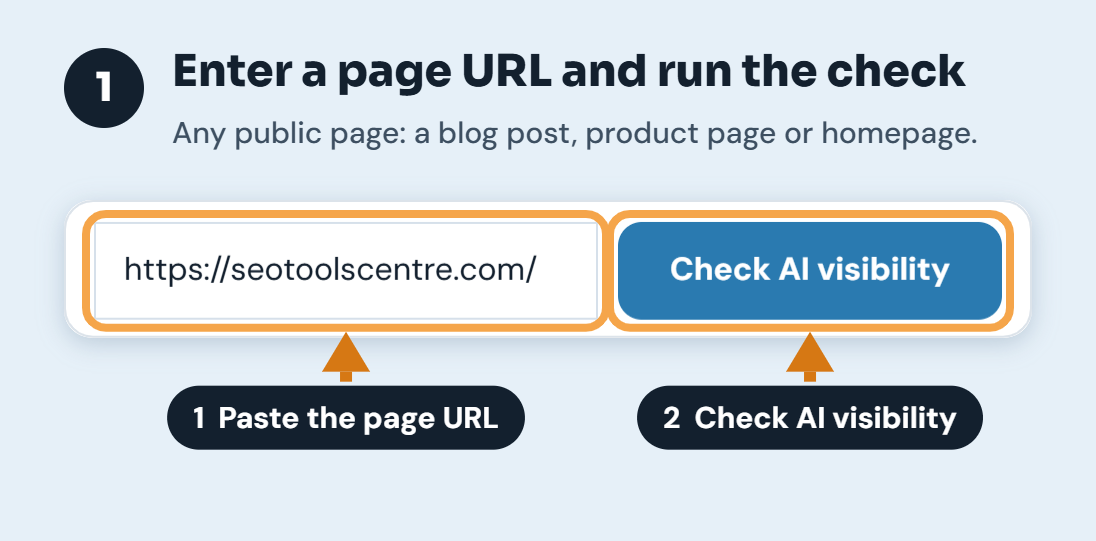
Step 1: Enter a page URL and run the check
Paste the full address of one page, such as a blog post, a product page or your homepage, and click Check AI visibility. The check usually takes a few seconds, because it reads the page, your robots.txt file and your sitemap.
Step 2: Read the score and the five areas
The ring shows the overall score out of 100, and the bars show how the page does in each area. Green areas are in good shape, orange areas need some work and red areas are holding the page back.
Step 3: Start with the top fixes
The line above the fixes tells you straight away whether the AI search crawlers can read the page. The top fixes are sorted by impact, and anything that blocks AI search completely, such as a blocked crawler or a noindex tag, always comes first.
Step 4: Open the details to see every AI crawler
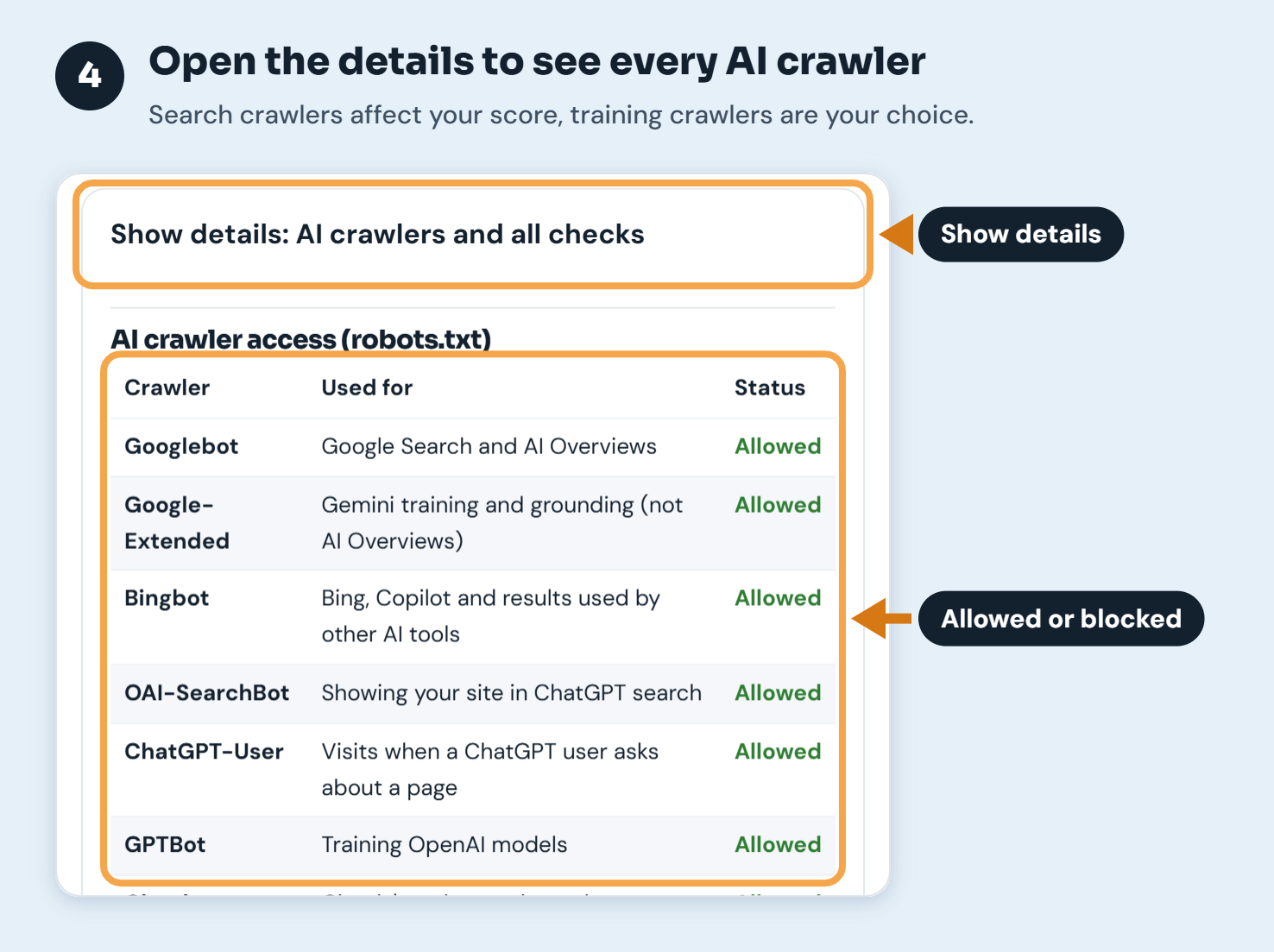
Click Show details to see all 11 crawlers, what each one is used for and whether your robots.txt allows it. Search crawlers affect your score. Training crawlers are listed for information only.
Step 5: Check each result and its fix
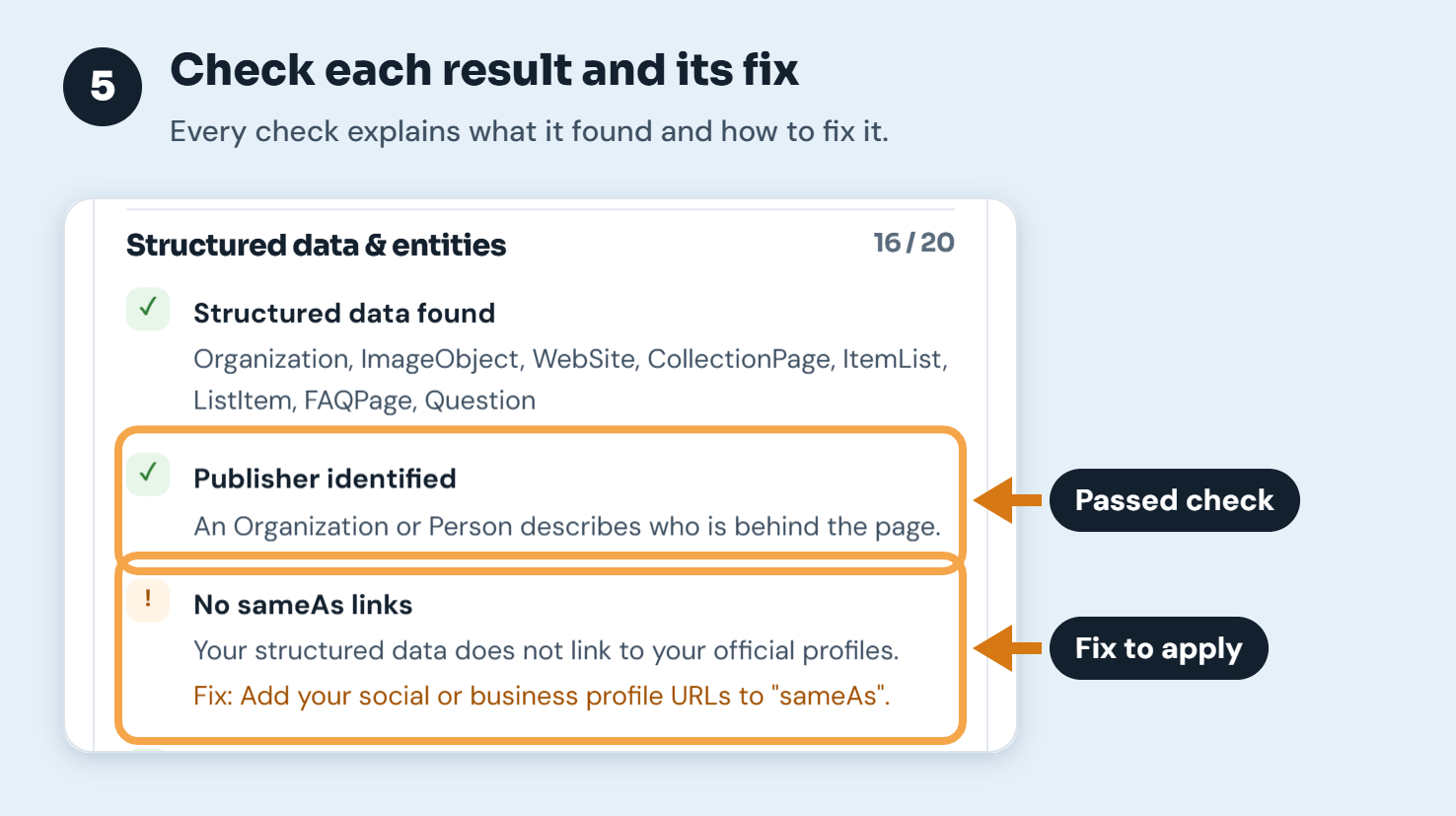
Below the crawler table, every check is listed by area. Passed checks show a green tick, and anything that needs attention shows what the checker found and how to fix it.
Step 6: Copy or download the report
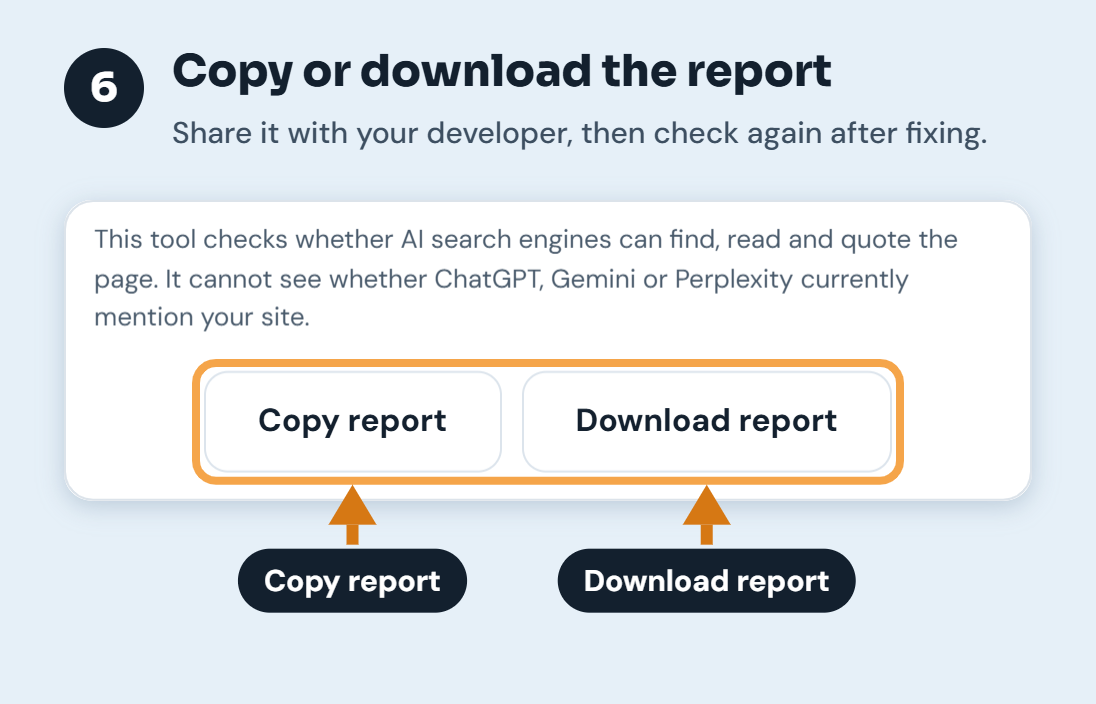
Use Copy report or Download report to share the results with your developer or keep them for later. After you make changes, run the check again to confirm the score has improved.
Which AI crawlers matter, and which you can block
Not all AI crawlers do the same job. Some collect pages for search and answers, while others collect them to train AI models. The checker scores only the search crawlers, because blocking those is what removes you from AI answers:
- Googlebot crawls for Google Search, and AI Overviews are built from the same index. Blocking it removes you from both.
- Bingbot feeds Bing and Microsoft Copilot, and Bing's index is also used by other AI assistants.
- OAI-SearchBot is how pages appear in ChatGPT search.
- Claude-SearchBot is used for Claude's web search results.
- PerplexityBot builds Perplexity's search index.
Training crawlers such as GPTBot, ClaudeBot, Google-Extended, Applebot-Extended and CCBot are listed for information. Blocking them is a reasonable choice if you don't want your content used for training, and OpenAI and Google both say it doesn't stop your pages appearing in their search results. The checker reports them but doesn't lower your score.
How to improve your score
Remove anything that blocks AI search
Check robots.txt for rules that block the search crawlers above, and make sure important pages don't carry a noindex tag. A page that returns an error or redirects to an unrelated page can't be quoted.
Describe the page and the publisher with structured data
Add JSON-LD that says what the page is (for example Article, FAQPage, Product or WebApplication) and who publishes it (Organization or Person). Add your official social and business profiles to sameAs. This helps AI systems connect your pages to the right brand, which Google calls an entity.
Write in a way that answers questions
People ask AI tools full questions, so phrase some headings as questions and answer each one in the first sentence or two below it. Use short lists for steps and tables for comparisons. Keep each section focused on one point so it can be quoted on its own.
Show who is behind the content and when it was updated
Publish an About page and link it from every page. Add a byline or "Reviewed by" line to guides and articles, and show a "Last updated" date, also as dateModified in your structured data. These are the same trust signals Google describes in its guidance on helpful, reliable content.
Does AI search need special optimisation?
Mostly no. Google has said that the same SEO best practices apply to AI Overviews: pages must be indexable, and content should be helpful, original and easy to understand. AI assistants that search the web work in a similar way. That is why this checker focuses on fundamentals that help both traditional search and AI answers, rather than tricks.
Frequently asked questions
What is AI search visibility?
It is how likely your pages are to be used and cited when AI tools answer questions. That includes Google AI Overviews, ChatGPT search, Perplexity, Claude and Microsoft Copilot. A page has to be crawlable, indexable and clearly written before any of these tools can use it.
Can this tool tell me if ChatGPT mentions my website?
No. No public tool can see inside ChatGPT, Gemini or Perplexity for free. This checker tests whether AI search engines are able to find, read and quote your page. To see whether they currently mention you, ask each tool about your brand and main topics yourself.
Should I block GPTBot?
That's your decision. GPTBot collects pages to train OpenAI's models. Blocking it doesn't remove you from ChatGPT search, which uses OAI-SearchBot. The same split exists for Anthropic (ClaudeBot for training, Claude-SearchBot for search) and Google (Google-Extended for Gemini, Googlebot for Search and AI Overviews).
Do I need an llms.txt file?
Not at the moment. llms.txt is a proposed file that lists a site's key pages for AI tools. The checker tells you whether you have one, but no major AI search engine has confirmed using it, so it doesn't affect your score.
Why is my score lower than in a normal SEO audit?
This checker adds AI-specific tests, such as whether AI search crawlers are allowed, and puts more weight on trust signals like authorship, dates and an About page. A page can rank well in classic search and still score lower here.
How often should I check my pages?
Check important pages after any change to robots.txt, your theme or your CMS settings, and every few months otherwise. A single new robots.txt rule or plugin setting can block AI crawlers across a whole site.
Is the AI Search Visibility Checker free?
Yes. It is free to use with no sign-up. It checks one page at a time, the same way a crawler sees it on its first visit.
Last reviewed: 6 October 2026, by the SEO Tools Centre team. The crawler list follows the documentation published by Google, Microsoft, OpenAI, Anthropic, Perplexity, Apple and Common Crawl, and we update it when they add or rename crawlers.