SERP Snippet Preview
Loading tool…
About SERP Snippet Preview
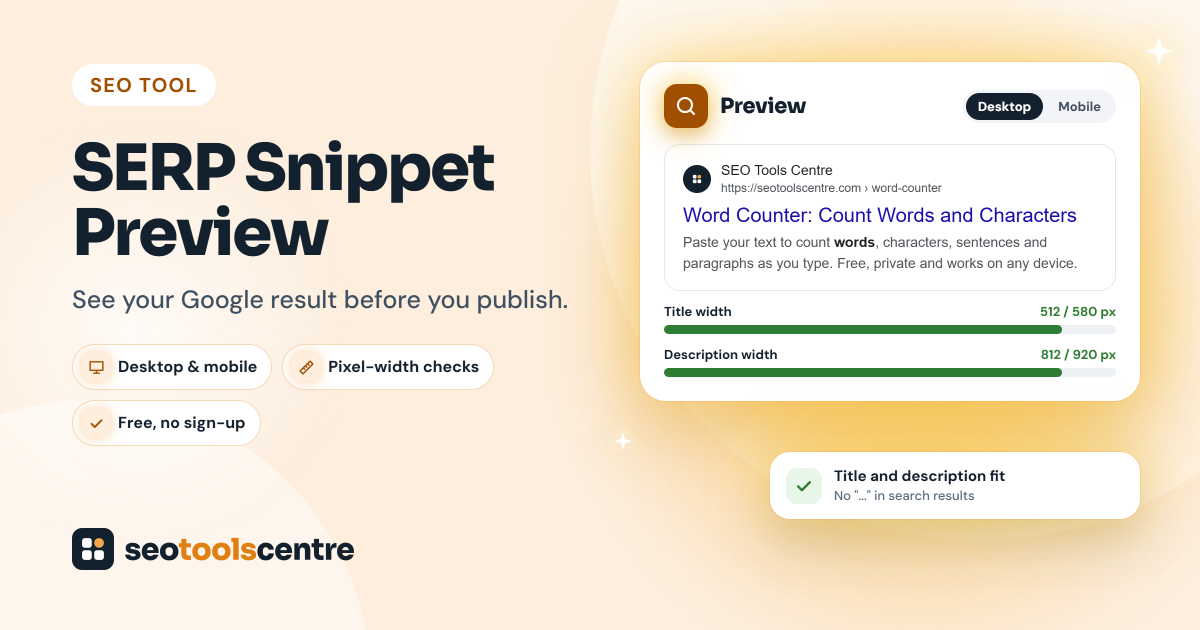
A SERP snippet is the small block that represents your page on a search results page: the site name and URL, the blue title link, and a short description underneath. It is often the first thing a searcher sees from you, and it decides whether they click. The SERP Snippet Preview lets you see that block before your page goes live, on desktop and on mobile, and tells you whether Google is likely to cut your title or description short.
We built this tool after checking our own pages. Our Word Counter's title, "Online Word Counter - Count Words And Characters | SEO Tools Centre", looks fine in a CMS field, but it measures about 643 pixels in Google's title font. That is past the roughly 580 pixels a desktop result shows, so the end of the title, including our brand name, was being cut off. A character counter would not have caught it. The preview did straight away.
What the SERP Snippet Preview checks
- Title link: how your title tag (or the title Google shows) fits on one desktop line and on mobile.
- Meta description: how much of your description is likely to show before Google trims it with "...".
- URL and site name: how the address appears as breadcrumbs (for example, example.com › blog › post) next to the site name.
- Bold keywords: which words in the description Google would highlight for a given search.
- Date: how much room a date takes when Google shows one before the description, as it often does for articles and news.
How to use the SERP Snippet Preview, step by step
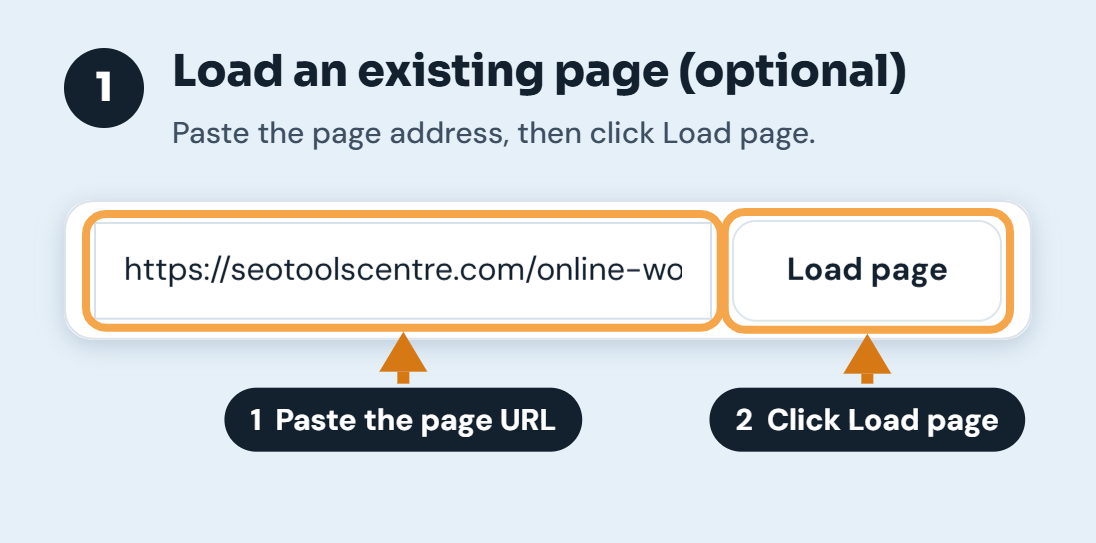
Step 1: Load an existing page (optional)
If the page is already online, paste its address into the top field and click Load page. The tool reads the page's current <title>, meta description and site name, so you start from what Google sees today. If the page is new, skip this step and type your own text.
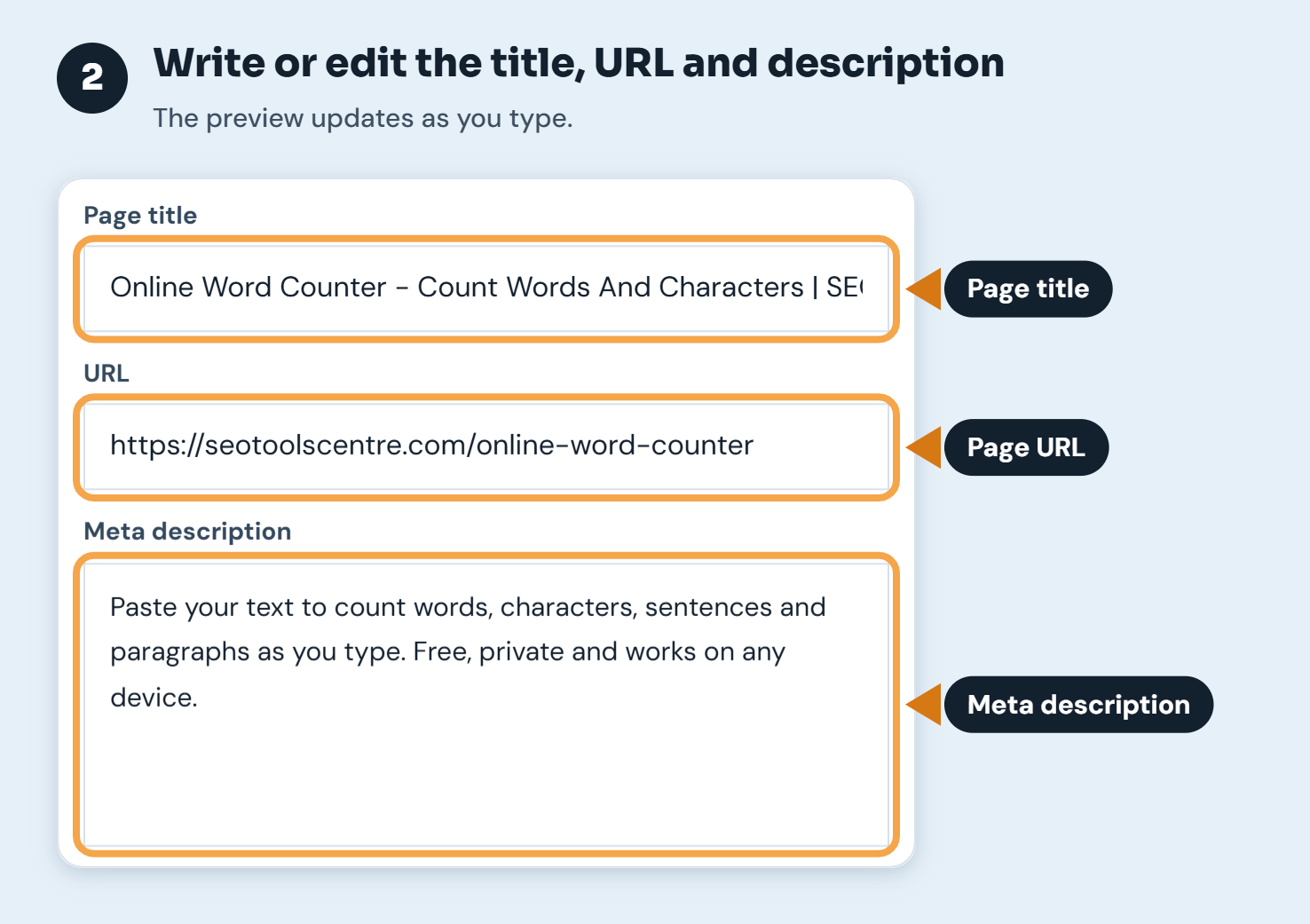
Step 2: Write or edit the title, URL and meta description
Type in the three main fields. The preview updates as you type, so you can try several versions quickly. Write the title the way you want it in the page's <title> tag, and the description as one or two plain sentences about what the page offers.
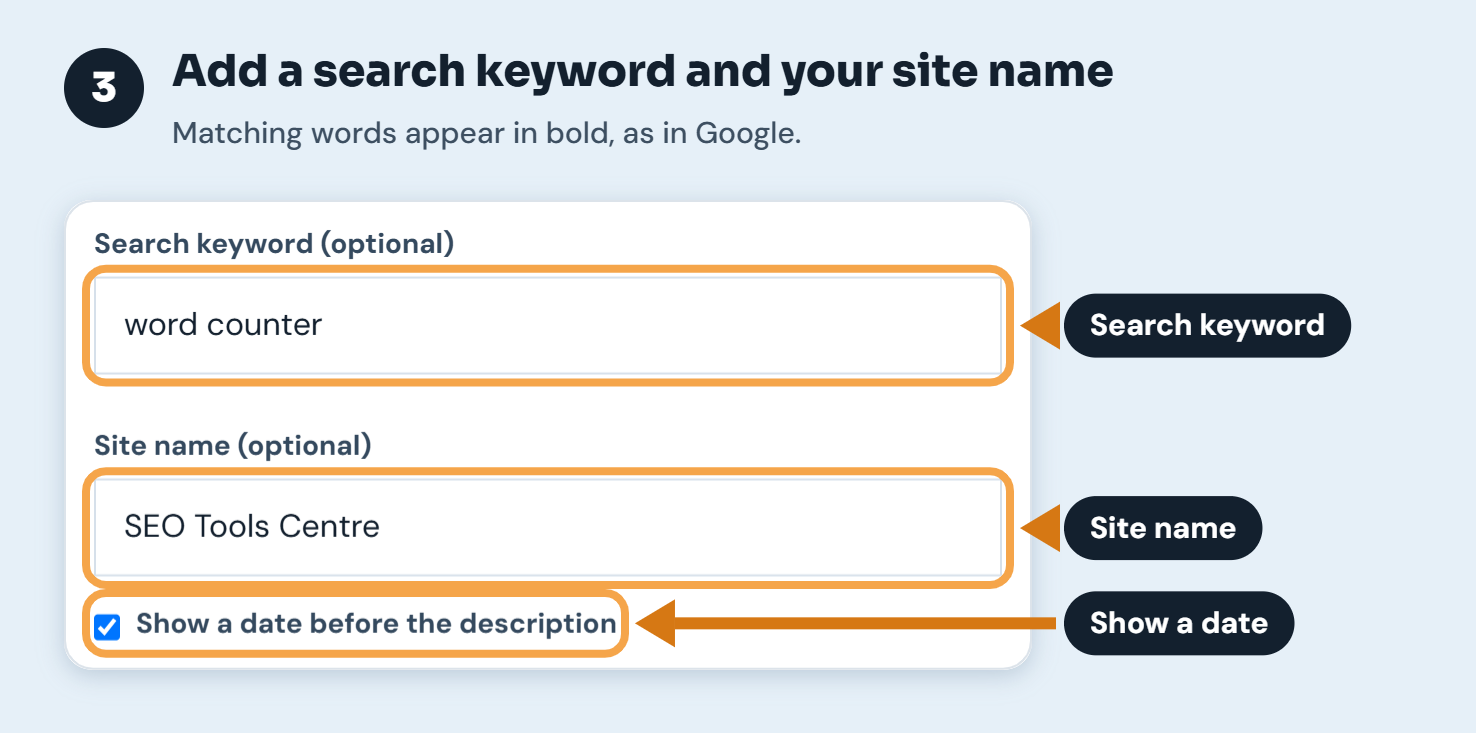
Step 3: Add a search keyword and your site name
Enter the phrase you expect people to search for. Google bolds matching words in the description, and the preview does the same, so you can see whether your key point stands out. Add your site name if you want the preview to show it exactly as Google would. Tick Show a date for blog posts and news, because a date uses up part of the description space.
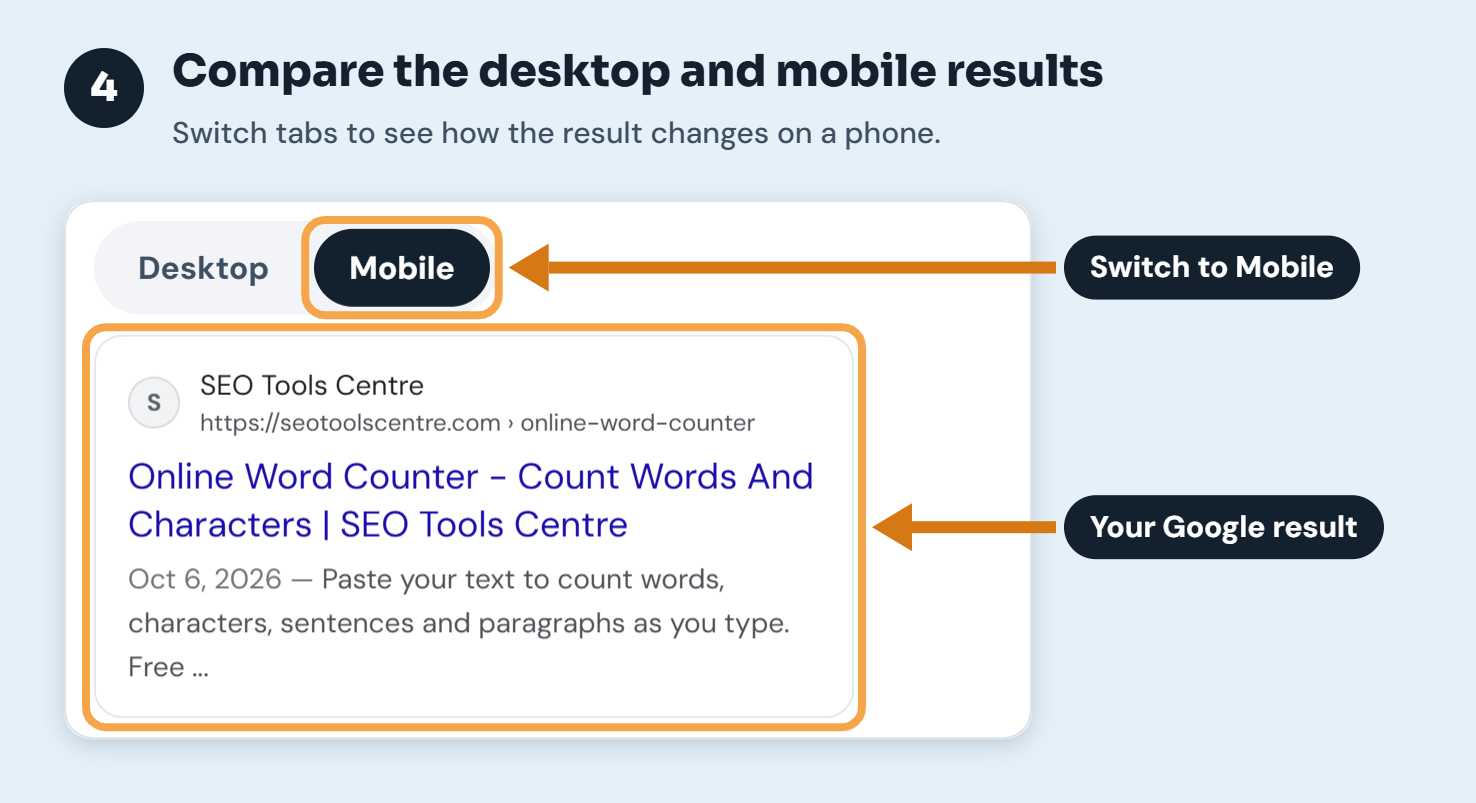
Step 4: Compare the desktop and mobile results
Switch between Desktop and Mobile. On a phone, a title can wrap onto two lines, but the description has less room. A description that fits on desktop is often trimmed on mobile, so put the most useful information in the first sentence.
Step 5: Read the width meters and tips
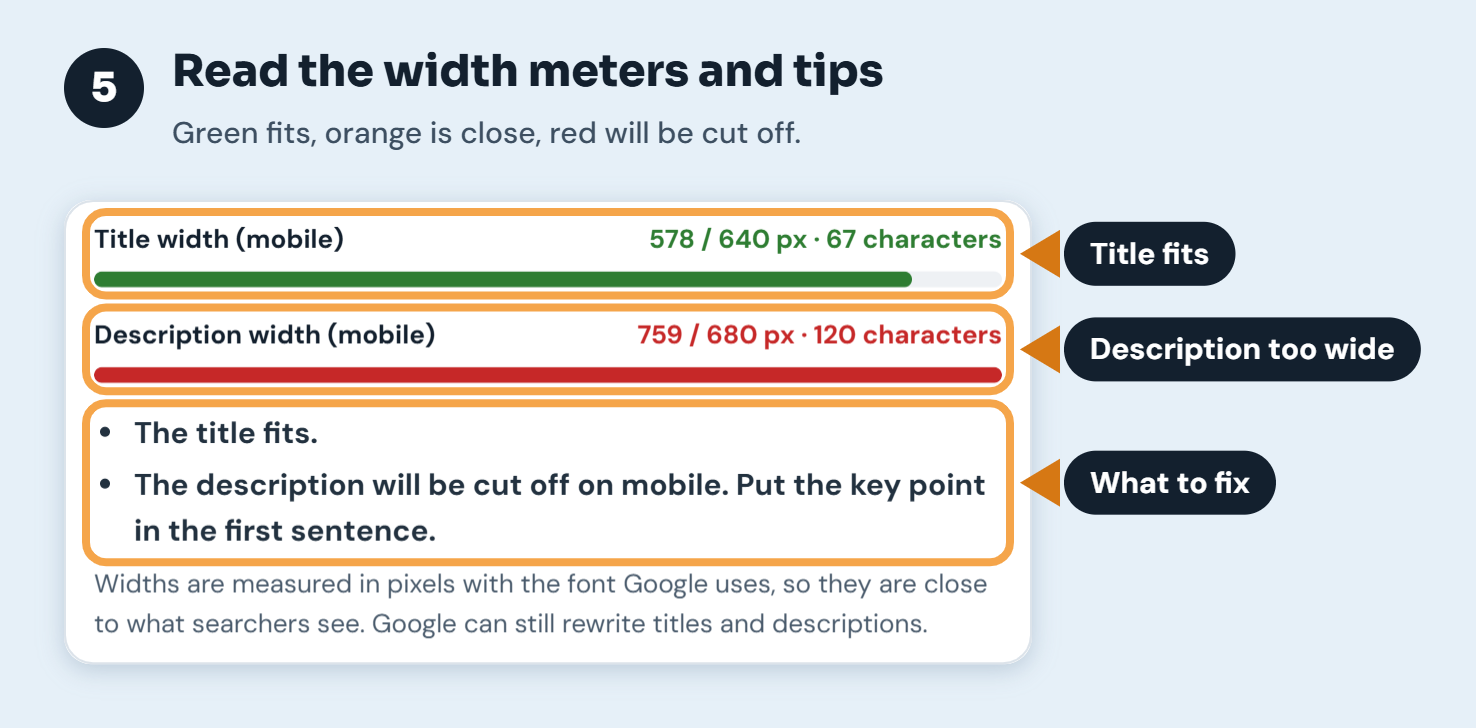
Each meter shows the width of your text in pixels against the space Google gives it, plus the number of characters. Green means it fits, orange means it is short or close to the limit, and red means it will be cut off. The tips underneath explain what to change in plain words.
Step 6: Copy the finished meta tags
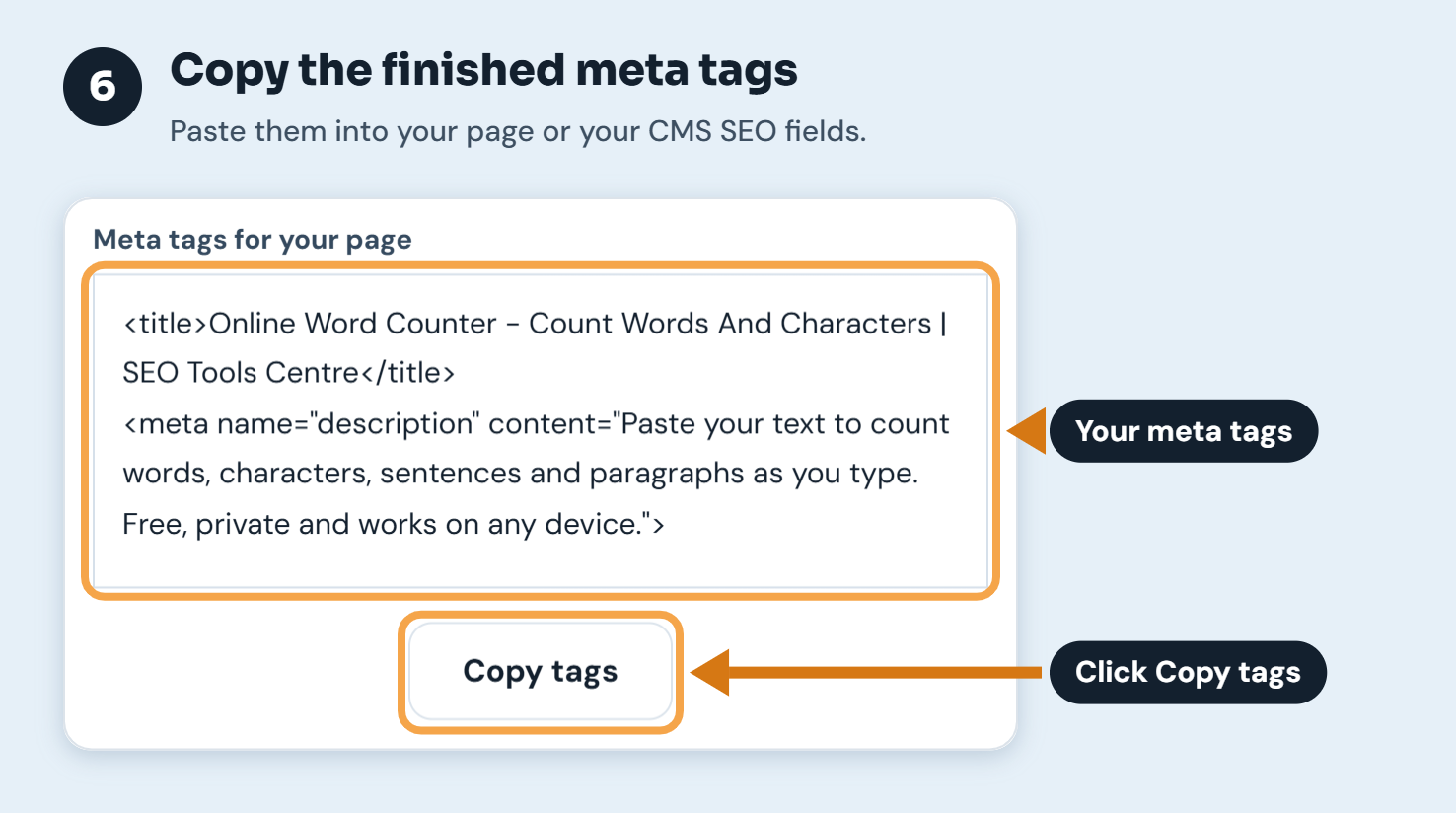
When the preview looks right, click Copy tags. You get a ready-made <title> tag and meta description tag to paste into your page's HTML, or into the SEO title and description fields of WordPress, Shopify or any other CMS.
Why the tool measures pixels instead of characters
Google does not cut titles and descriptions after a fixed number of characters. It cuts them when they run out of space on the screen. Letters have different widths: "W" and "M" take up far more room than "i" or "l", and capital letters are wider than lowercase. That is why two titles with the same character count can behave differently.
The tool measures your text in Arial, the font Google has long used for its results, at the sizes those results use. These are the working limits it applies:
| Part of the result | Desktop | Mobile |
|---|---|---|
| Title link | about 580 px (one line) | about 640 px (can wrap to two lines) |
| Meta description | about 920 px (about two lines) | about 680 px |
Treat these as close guides rather than fixed rules. Google's own documentation does not set a maximum length for titles or descriptions. It says text is shortened to fit the device, and Google changes its layout from time to time.
How Google chooses your title and description
Your HTML <title> element is the main source for the title link, and Google uses it most of the time. Google can rewrite a title that is very long, stuffed with keywords, the same across many pages, or doesn't match the page. It may then use the main heading, link text or other text instead.
Descriptions work in a similar way. Google often uses your meta description when it describes the page well. For some searches it shows a different passage from the page that matches the query more closely. If a page has no meta description, Google always picks its own text.
So no tool can guarantee exactly what Google will show. What a preview can do is make sure that the version you control is clear, accurate and not cut off. That gives Google a good reason to keep it.
Tips for titles and descriptions that earn the click
- Put the topic first. Start the title with what the page is about. If the end gets cut, the important part is still visible.
- Keep brand names short and at the end. "| SEO Tools Centre" is useful, but it is the first thing to go when space runs out.
- Give every page its own title and description. Repeated, boilerplate titles across many pages are one of the main reasons Google rewrites them.
- Write the description for a person. Say what the visitor will get or be able to do. One or two full sentences usually work better than a list of keywords.
- Use the keyword once, naturally. Bold matching words help a result stand out, but repeating the same phrase reads as spam and can lead Google to replace your text.
- Match the page. Don't promise something the page doesn't deliver. Searchers who bounce straight back don't help you, and Google may rewrite a misleading snippet.
- Check results later in Search Console. After Google has crawled the page, compare the impressions and click-through rate in the Performance report before and after you change a title.
Who this tool is for
Bloggers and content writers can use it to finish a post's SEO title and description before publishing. Shop owners can check product and category pages, where long product names often get cut. SEO specialists and agencies can use it to show clients a proposed title next to the current one. Developers can use it to check the title templates a site builds automatically.
Frequently asked questions
What is a SERP snippet?
SERP stands for search engine results page. A snippet is the listing for one page on that results page. It normally includes the site name, favicon, URL, title link and a short description, and sometimes a date or extra details from structured data.
How long should a title tag be?
Aim for a title that fits within about 580 pixels on desktop. That is usually around 50 to 60 characters, depending on the letters you use. Shorter is fine as long as it clearly describes the page. Google doesn't penalise longer titles, but the end will be hidden.
How long should a meta description be?
A description of around 120 to 155 characters usually shows in full on desktop. On mobile, the first 100 or so characters are the safest place for your main message. The meters in this tool give a more precise answer for your exact text.
Why does Google show a different title from the one I wrote?
Google rewrites titles that it thinks don't describe the page well. Common causes are titles that are too long, stuffed with keywords, missing, or the same on many pages. A concise, specific title that matches the page's main heading is the best way to have yours shown.
Does the meta description affect rankings?
Not directly. Google has said the meta description is not a ranking factor. It does affect how your result looks, though, and a clear description can persuade more people to click.
Does this preview match Bing and other search engines?
The preview is modelled on Google's layout. Bing and other search engines use similar result layouts and widths, so a title and description that fit here will usually display well there too.
Is the text I enter saved or shared?
No. The preview runs in your browser and nothing you type is stored. When you use Load page, our server fetches that public page once to read its title and description, and doesn't keep a copy.
Is the SERP Snippet Preview free?
Yes. It is free to use, with no sign-up and no limit on how many titles and descriptions you test.
Last reviewed: 6 October 2026, by the SEO Tools Centre team. The width limits are based on Google's current desktop and mobile result layouts, and we update them when that layout changes. For Google's own guidance, see the "Influencing your title links" and "Control your snippets in search results" pages in Google Search Central.