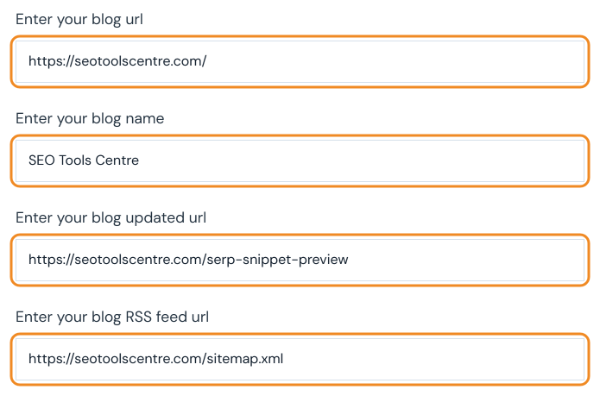
Enter your blog url
Enter your blog name
Enter your blog updated url
Enter your blog RSS feed url
Ping Website
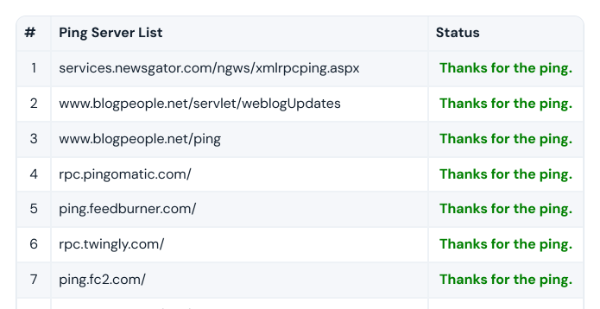
Sends your URL to ping services and shows each result.
Enter your blog url
Enter your blog name
Enter your blog updated url
Enter your blog RSS feed url
Sends your URL to ping services and shows each result.

The online website ping tool is used to index websites properly in search engines. It is the greatest addition to the SEO Tool Centre, and the webmaster uses this tool on a large number. It will index the new content of the site in the search engine quickly. Search engines like Google take some time to index content from the website, as it first recognizes changes that you made on the website and also the content that is updated, then if Google finds it informative then it index that content and approve changes that are made.

But now indexing is not a problem as you use this tool to ping a website in Google. It will help you to index properly and allow you to make changes in your choices.
Website indexing is the main problem that many bloggers or webmaster follow nowadays as Google does not allow content to be an index or it may take a long time to index. But by using this tool you can index your website easily and quickly in the Google.
It is very simple and easy to use tool that helps to ping website in Google. It will give you a new good experience and take your entire burden on its shoulders. You just have to sit back and see how this online ping tool works and index your site in no time.
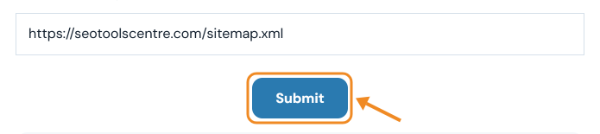
After entering the required information like website URL, Blog name, Updated Blog URL, and Blog RSS feed URL, it starts analyzing your content and updated data and start indexing your content or website.
It is the modern SEO tool that is used by a large number of the webmaster to get index in Google instantly after making desired changing into the site or updating the contents of the web page. It is the one that you need as a webmaster to ping your website to Google.
Last updated: