Page Speed Checker
Enter a URL
About Page Speed Checker
What is Website Speed Tester?
Website Speed Tester is the best SEO tool that enables you to check the loading speed of your website in any search engine. It makes your website loading faster and increases good user’s experience. If your website loading speed low then the user will not stay on your site and move on to next site and never come back to your site as he got very bad experience. Similarly, if your website load in no time then visitors will stay on it and get what he searched and also come back in future to find any related thing from your site. Loading speed matters a lot for the bloggers or webmaster in SEO of the website. This website speed checker tool enables you to check your website loading speed and compare it to your competitor website loading speed.
Why use this website loading time optimizer?
If you are looking for a reliable tool to check the website speed that gives you accurate results, then you should have to give one try to website speed tester offered by the SEO Tool Centre. This speed optimizer tool is one of the best tool that is used by many webmasters to improve the speed of their website. It is the most commonly used tool in SEO by bloggers.
The user of nowadays is always in a hurry and wants the quick result for its inquiry but if your website load slowly then it gives a bad impact on the visitors and it never came back and also not suggest it to anyone else. This tool tells you about the loading speed of your website, and if you are not satisfied with the results, then you can take steps to make important changes to your website to increase its speed.
How does this website speed checker tool work?
This tool works on a simple basis, and it analyzes your whole website and check the loading time of all the contents on the site and gives the results. It not only analyzes your website speed but also makes the loading timeless and gives you warning about the slow loading of your website to you so that your users’ can enjoy the good experience of browsing.
How to check how fast a page loads
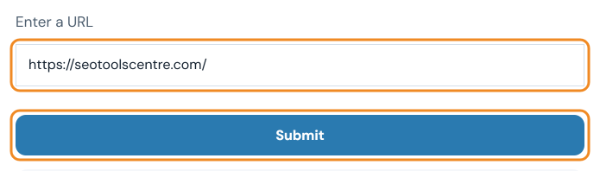
- Enter the page address and click Submit. Paste the full URL, including https://.
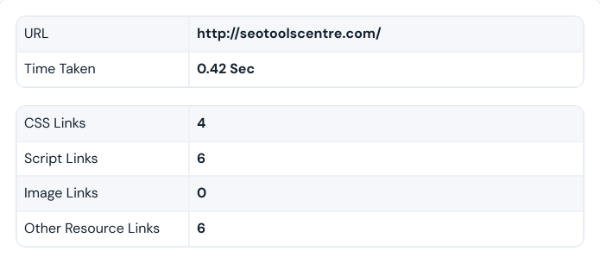
- Check the load time and file counts. The summary shows how long the page’s HTML took to load from our server and how many CSS, script, image and other files it uses. Fewer files usually means a faster page.
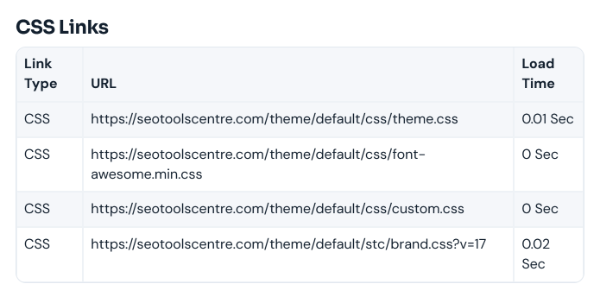
- Look for slow files. Each file is listed with its URL and load time. Large or slow files are the first place to look: compress images, combine or minify scripts, and remove plugins you do not need. For a full lab test with Core Web Vitals, also run Google PageSpeed Insights.
Last updated: