Search Engine Spider Simulator
Enter a URL
About Search Engine Spider Simulator
What is Search Engine Spider Simulator?
Search Engine Spider Simulator is one of the advanced SEO tools that are now used by the webmaster. It is used to get complete information about web spiders. It tells you that how Web spider sees your website and is it look professional to them.
Search engine spiders or web spiders are the ones used by the search engines to read website pages and other information before indexing it. Web Spiders are also known as Crawlers and used to visit a website that is submitted by the owner for indexing. They are called spiders because they visit multiple sites at one time in parallel as their legs cover a large area on the web.
Why use spider simulator tool?
It is the latest SEO tool offered by the SEO Tool Centre used by the webmasters to crawl their website into the search engine and to make it professional. It is the best tool to check how much your website look is professional for web spiders. It will provide images showing how your site looks to spiders.

The professional look of the website is one of the most important things need to indexed your site into search engines. It does not matter whether your site is new or old and updated if it does not look good to search engine spiders, the search engine does not index you. This is because spiders are used to read hidden files or files that the search engine does not find easily. If you use this search engine spider simulator, it will help you to show all the files to the spiders and get indexed.
How does search engine spider simulator work?
There are lots of links and contents are displayed on the web page of your site which is not visible to the search engines. These include contents like a flash-based or those generated by Javascript or content that show as images. This tool makes them visible for the search engines in formats in which he wants to see them.
It not only displays the content to search engine in a professional look but also displays Hyperlinks that are analyzed by the search engines when they are looking or reading the web page. It is very amazing, and useful tool for the webmaster as its use makes them enable to know how search engine spiders look their web page.
How to see a page the way a search engine spider does
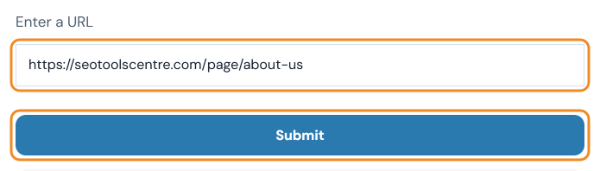
- Enter the page address and click Submit. Paste the full URL of the page you want to check.
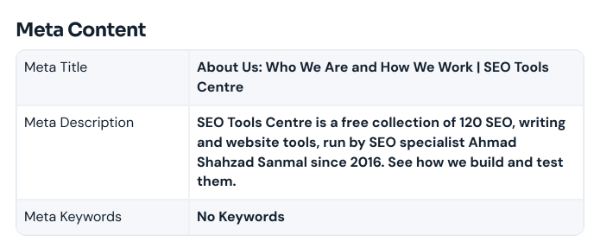
- Check the meta content. The meta title, meta description and meta keywords are shown exactly as a crawler reads them from the HTML. Make sure the title and description are there and describe the page.
- Review the headings and links. The H1 to H4 headings show the outline of the page; there should be one clear H1. Below them, the indexable links list every link a crawler can follow. Text or links that are missing here are probably loaded by JavaScript and may be harder for search engines to see.

Last updated: