Htaccess Redirect Generator
Loading tool…
About Htaccess Redirect Generator
Welcome to htaccess redirect generator tool which allows you to generate the htaccess file for your web page/site. Htaccess is a file which used to define to index/de-index the different sections (Sitemap, login, signup pages) of the website to the search engine robots with its specific rule.
Basically, this file is designed to allow/block access to search engine robots to the specified directories of a website and it's very necessary according to the search engine guidelines. Every webmaster uses the htaccess file to guide the search engine robot to index the specific pages. In htaccess file, we write some codes for crawlers and give instructions to un-crawl specified directories such as admin files and other database files.
Why use htaccess file?
It's very necessary to use htaccess because the webmaster instructs the search engine crawlers to crawl and index the content pages. It comes with default settings and placed in the website home directory and its extension with (.htaccess).

How to beat up duplicate content issues using the Htaccess file?
It's very common that search engines index the two versions of the website if you are not using the htaccess file in the right way. Search engine index the www.example.com and example.com both version and it creates the issue of duplicate/plagiarism content issue. So, if you want to be unique in the search engine then must enable the htaccess and prefer the www version or non-www version of your website.
How to beat up your organic competitors using SEO Tools Centre?
There are millions of web pages registered and you can find millions of web pages against your single word search query. So if your website is under the first ten pages then it's useless because it will not engage any organic users. Another way to provide the unique, reliable, users interest based flexible content to preferable by the search engine and fix most common SEO issue such duplicate content, sitemap, social media to obtain the first-page ranking. You can find all of your solutions at SEO Tools Centre including the URL rewrite tool to create a static optimized version of the ugly URLs.
How to generate .htaccess redirect code
- Enter your domain. Type it without http:// or www, for example example.com.

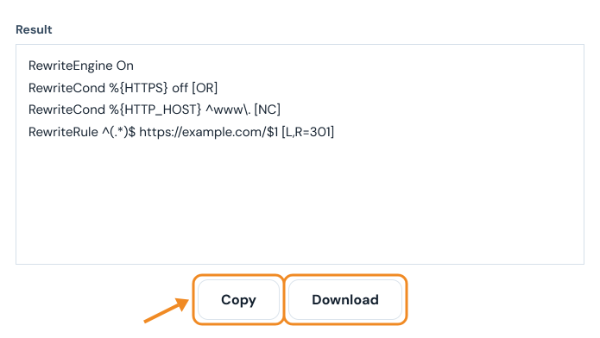
- Pick the redirect type and click Generate .htaccess code. Choose www → non-www or non-www → www to settle on one version of your domain, HTTP → HTTPS to force a secure connection, or one of the combined options to do both in a single redirect. Single page (old URL → new URL) adds two boxes for the old path (such as /old-page.html) and the new address, and Whole site to a new domain is for a domain move. The redirects are permanent (301), which tells search engines to move the old page’s ranking to the new address.

- Copy the code into your .htaccess file. Back up the existing file first. Add the lines near the top, after
RewriteEngine Onif that line is already there, then open a few old URLs to confirm they redirect correctly. This works on Apache and LiteSpeed servers; Nginx uses a different format.
Last updated: