Word Changer
Paste your text below, choose its language and click "Change Words". You can then swap any highlighted word for one of the suggestions before you copy the result.

About Word Changer
A word changer swaps words in a sentence or paragraph for synonyms, so you can find fresh ways to say the same thing. Paste your text, click "Change Words" and you get a reworded version that you can edit and copy. It is free and needs no sign-up.
How to change words in a text
- Paste your text. Put it in the Your text box on the left. Shorter pieces are easier to review; for a long article, work a few paragraphs at a time.
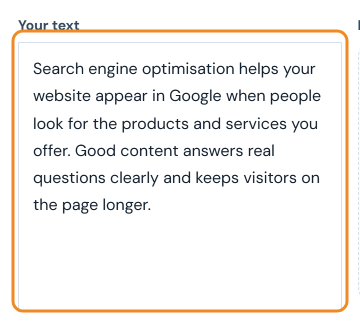
- Choose a style. Standard makes balanced word changes, Simple picks the shortest, most common words, Formal picks longer, more formal words, and Fluent changes fewer words so the text reads more naturally.

- Pick the language and click Change Words. English, Dutch, French, Spanish, German, Turkish and Indonesian are supported. The tool is free and needs no sign-up.

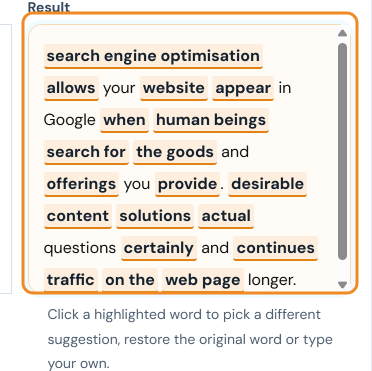
- Review the changed words. Every replaced word is highlighted in the Result box. Click a highlighted word to choose another suggestion, restore the original word or type your own. Check that the meaning has not changed and that names, figures and technical terms are still correct.
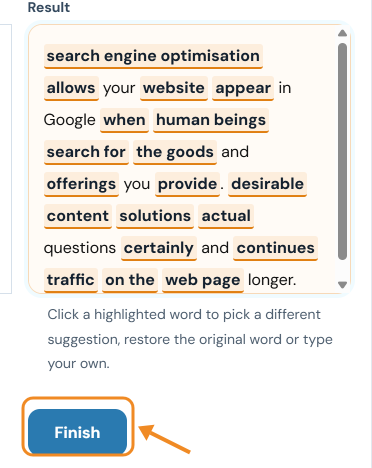
- Click Finish and copy your text. This turns the result into plain text that you can copy. Read it once more and adjust the wording in your own voice before you publish it.
Example
| Original | Our new app makes it easy to track your daily habits and see your progress over time. |
|---|---|
| Word Changer result | Our new app makes it smooth to tune your every day conduct and see your development over time. |
| After a quick edit | Our new app makes it simple to follow your everyday habits and see your development over time. |
Some swaps work well ("easy" → "smooth", "progress" → "development"), while others change the meaning ("track" → "tune"). That is normal for an automatic synonym tool, so always read the result before you use it.
Tips for better rewording
- Work in short sections so it is easy to spot words that do not fit.
- Keep key terms unchanged. Product names, technical words and quoted phrases should stay as they are.
- Read it aloud. Awkward synonyms stand out when you hear them.
- Check grammar afterwards with the Grammar Checker.
- Cite your sources. Changing words does not change who the idea belongs to.
To reword whole sentences rather than single words, try the AI Sentence Rewriter or the Paraphrase Tool.
Frequently asked questions
Is the Word Changer free?
Yes. It is free to use with no account needed.
What is the difference between a word changer and a paraphrasing tool?
A word changer mainly replaces individual words with synonyms, while a paraphrasing tool aims to restate the whole sentence. Either way, read and edit the result so it keeps your meaning.
Can I use it for essays?
Use it to improve your own wording, and check your school's rules on rewriting tools. Always cite any source you have paraphrased.
Last updated: